Plan the crew around real scope.
Assignments can reference the customer, job, work order, equipment, materials, and due dates instead of a calendar note that has lost the estimate.
 YavlandExplore Yavland
 YAVLAND / SCHEDULING
Turn approved work into crew assignments with the job details, materials, equipment, photos, and time context still attached.
Current crew view
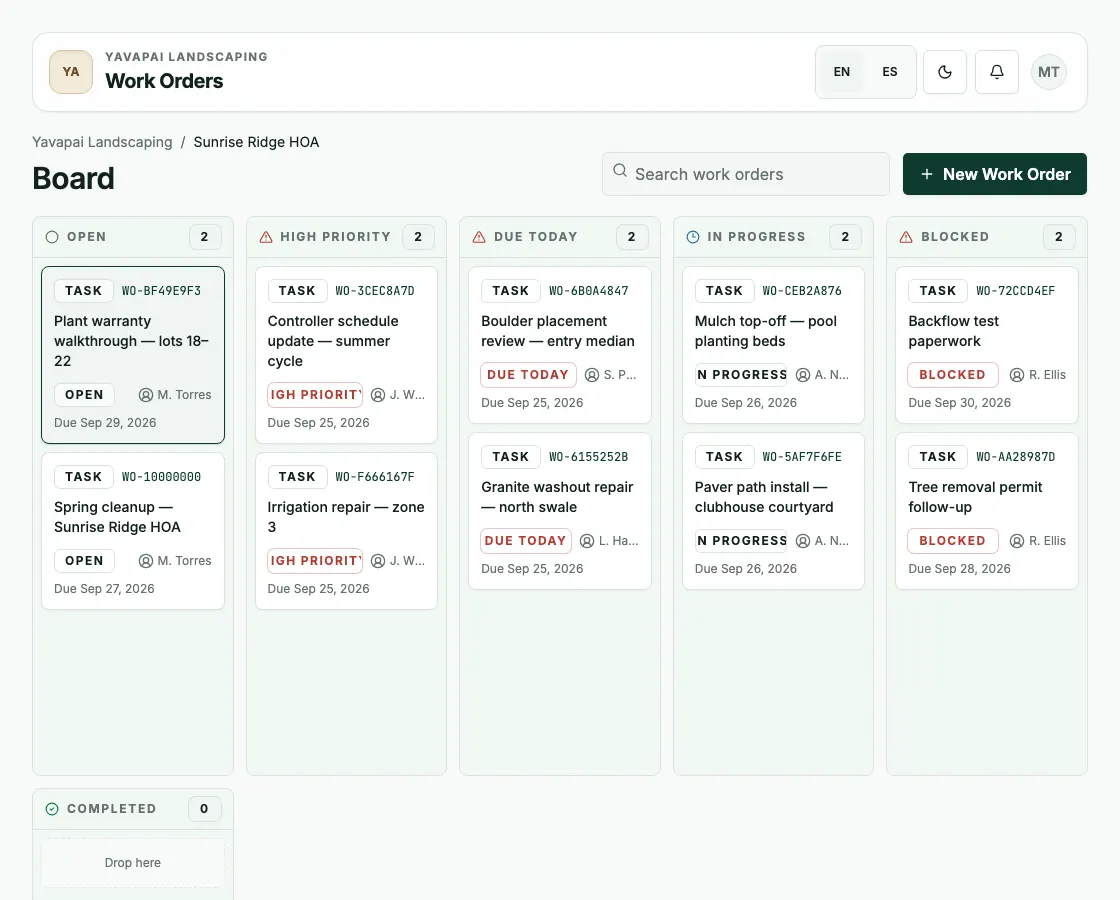
The work-order board shows what is open, urgent, due today, in progress, or blocked so the office can assign crews and see what needs attention before the crew heads out.
How it works
Work orders, crew assignments, time tracking, photos, materials, and equipment stay together on one board, so the office and the field see the same plan.
Assignments can reference the customer, job, work order, equipment, materials, and due dates instead of a calendar note that has lost the estimate.
Work moves through Open, In Progress, Blocked, and Completed with assignees, activity, photos, and comments visible to the office.
Time, materials, mileage, and completion notes stay with the work so closeout and invoicing are not a separate reconstruction project.
Next step